You can connect Read AI and Microsoft Teams in order to send your meeting notes to Microsoft Teams and unlock other powerful features to boost productivity. This page provides an overview of these features, with links out to other pages for more details. These features are available to all Read users, including those on the free plan.
Read’s integration with Microsoft Teams has two distinct options, and while you can enable either of these independently, we recommend trying both out. You can find these options to connect Microsoft Teams on the Integrations page.
Push to Teams
The Push to Teams integration allows you to send and receive meeting summaries in Teams. Now Read AI delivers concise daily recaps of your Teams chat and channel conversations, and will post them in the morning based on your team’s time zone. Avoid scrolling through countless threads or worrying about missing key updates. Daily Summaries make it effortless.
- Activate Summaries in seconds. Summaries turn on instantly for anyone who connects Teams to Read AI; no meetings are required.
- The recaps fit your workflow. Choose which channels to follow and how you want to receive your recaps. You can choose from in-channel, direct message, or in your Read AI web app. Coming soon, the feature will be turned on by default.
- You’re always in control. Anyone in the channel, even if they don’t have a Read AI account, can opt out at any time.
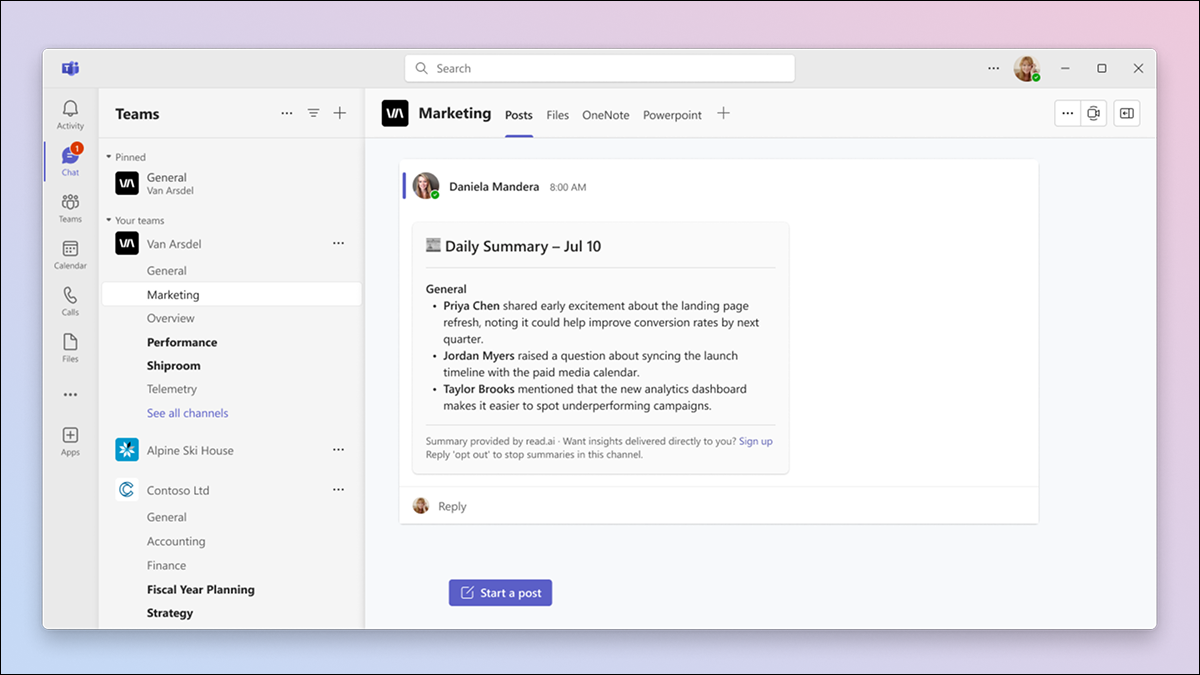
To choose which channels you'd like to generate daily summaries, click Manage channels.
This Select Teams Channels form will pop up. Choose the channels that you want Read to summarize daily.
Teams Sync to Read
Get Topic Readouts from Teams and find key info faster with Search Copilot. Readouts reports provide a summary of key topics that are being discussed in your connected sources (email and messaging). Readouts are only visible to you by default, and are never automatically shared.